Signal K key selection
Each instrument showing data requires binding to a Signal K data object represented by a path pointing to a specific leaf of the data tree. The path to the data node has to be fully qualified, reresenting the whole path from the root of the data tree to the node, including the source of the data (There may be multiple instruments providing the same information) eg. vessels.urn:mrn:imo:mmsi:265599691.environment.wind.angleTrueWater.SRC:blueconv-WI
If the full path is known, it can be written or copy-pasted directly to the text part of the control.
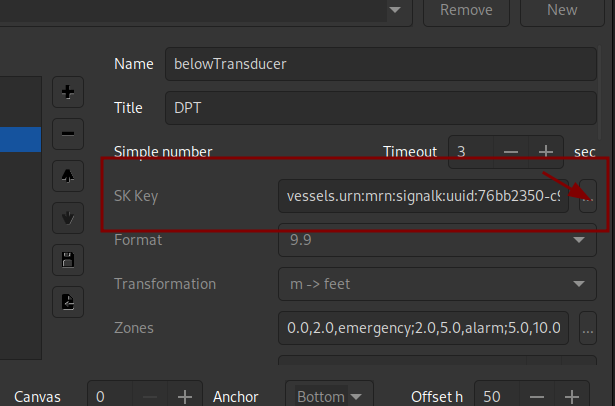
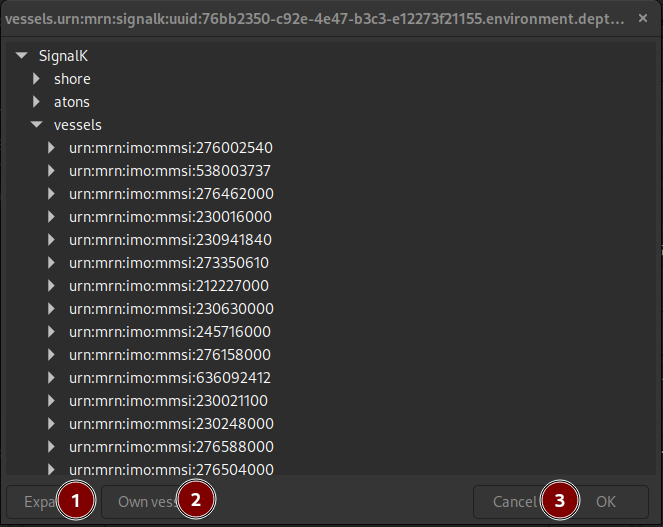
By clicking on the button to the right of the key field, a dialog allowing interactive selection of the key from the data tree structure is shown.
Automatic source selection
When multiple sources provide the same data (e.g., two GPS receivers both providing position), you can either:
-
Specify an exact source — Use the exact source designation (e.g.,
SRC:VDR_halso-GP) to always read from that specific source -
Use automatic source selection — Use one of the magic source modes to automatically select from available sources:
The Source selection panel (radio buttons and dropdown) in the data selection dialog allows configuring the source behavior without manually editing paths:
| Mode | Description |
|---|---|
Specific |
Select a specific data source from the dropdown. The instrument always uses that source. |
Any |
Always use the first available source. If multiple sources exist, the instrument automatically reads from whichever is currently available. Useful for redundant sensors where the source might change. |
Lock session |
Lock to the first available source when the instrument is first accessed in a session. The instrument continues using the same source for the rest of the session, even if other sources become available. When the application is restarted, it re-locks to the current first available source. |
Lock persist |
Lock to the first available source when the instrument is first accessed. The instrument permanently remembers this source and continues using it across application restarts, unless the source becomes permanently unavailable (grace period before fallback). |
Example use cases:
-
Redundant sensors: Configure an instrument with "Any" mode to automatically select between multiple GPS receivers
-
Consistent readings within a session: Use "Lock session" for sensors that may drift between sources during operation
-
Persistent configuration: Use "Lock persist" to keep using a preferred sensor permanently
-
Unstable configuration: Use "Lock session" in case your sensors may appear as different devices for example after reboot and dynamic detection of devices connected to USB ports.
Signal K data inspection
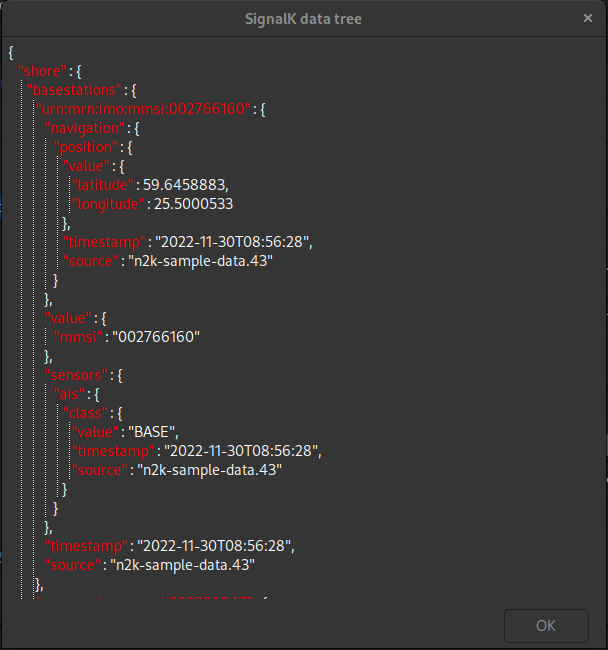
The Signal K data collected from the received delta messages are stored in a tree data structure. By clicking on the Signal K button in the upper right corner of the preferences dialog all the data avialable is displayed in human readable JSON format.